
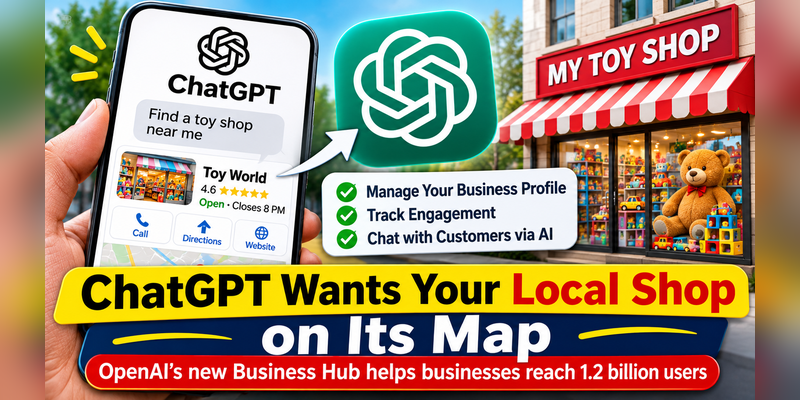
OpenAI’s new Business Hub lets companies manage how they appear to the 1.2 billion people who use the chatbot every week
November 13, 2026
Imagine this. You ask ChatGPT for a birthday present idea for your little cousin and it comes back with a couple of toy shops. The shops themselves had no idea they were being recommended and were in no position to do anything if the chatbot got their details wrong. OpenAI is now attempting to rectify that.
The ‘Businesses’ feature in ChatGPT has just launched (it’s still in beta so we’re likely to see some changes as it’s being tested). OpenAI note that around 1.2bn people use ChatGPT each week and that an increasing number of them are using it to find out what to buy rather than doing a Google search.
Your shop, your details
The main tool is Business Hub which comes with a free ChatGPT account. Once you’ve verified that you’re the owner of the business you’re listing you can then add in the description, contact details, website, opening hours and a product list with prices. It’s pretty much the same as the info box you see in the Google store search.
Owners also get a simple stats panel. This shows how many times ChatGPT mentioned the business, how many people viewed the page and how many clicked through to the site. The stats are for the last 28 days. There’s a pie chart showing what people were asking about so a toy shop for example might see that a lot of their traffic was in relation to cheap craft ideas.
How to claim your business
Log into ChatGPT with the account you’re going to run the business with. Open up Business Hub and search for your business by name. It’ll be in the Business Hub section of the ChatGPT sidebar. If it’s not there then for online businesses it may be possible to get it added, but for local businesses it’s not currently possible.
Next is verification. ChatGPT will only show you the methods that are relevant to your business so you may not see all four options. Once your claim has been approved you then have to go through an identity check via a service called Persona before you can publish changes, view your insights or build
Once you’ve got both approvals you can edit your page at will (your website, description, category, logo, delivery policy and return policy). A blue tick then appears on your profile.
There’s a catch on that though. Local stores and restaurants can currently only claim an existing US listing, whereas eligible online businesses may be able to create a new one. So the rollout isn’t quite the same for all yet.
eesel
Do you need any docs?
Surprisingly OpenAI haven’t published a checklist of papers equivalent to a business licence or a registration certificate. Instead, you prove ownership in one of four ways:
Business phone: you get a text or call on your main business number.
seroundtable
Business email: you get a code at an address associated with your business.
Website domain: you simply add a small record to your site’s settings to show that you own it.
Shopify: you connect your store.
The Persona check comes next and OpenAI haven’t been quite clear as to what ID they’re looking for. The safest thing to do is just go with the on screen instructions and have your business phone number, email and website login details to hand prior to you start.
Be careful about scams too. Only do full identity checks through the official process and absolutely don’t send over any ID documents to someone who’s going to ‘sort it’ for you in a message. If you want a helper to run the page then the owner should claim the business first and then add that person via their own ChatGPT account.
A chatbot that speaks for your shop
The second new feature is the Business Agent (an AI that can chat with your customers for you). You determine what it says and what tone it has. OpenAI’s example was a toy shop owner who wanted a friendly voice that would suggest toys based on what the customer was looking for.
These conversations are explicitly tagged and are kept completely separate from a person’s normal ChatGPT conversations. For the time being only online stores and online services in the US can set one up (OpenAI indicate that more countries and more types of business will be able to in due course). Claiming a business, publishing an agent and advertising are all separate steps so you can manage your page without having to do the other two.
What about privacy?
OpenAI state absolutely no business can actually read any of these chats at all (not even the ones with their own agent). All they get is a count and that only comes in after sufficient usage by a number of people such that you can’t actually identify any one individual.
Why Google should be watching
Google have had Business Profiles for years (with the shop photos, the products, the reviews etc). ChatGPT is now in that space. Early in November OpenAI reported that ChatGPT’s search traffic had hit around 20% of Google’s. They’re also planning a public listing in 2027 so getting businesses on board would be a way of making revenue.
What owners can do now
Experts say that saying your page is the only one is really the beginning of the story as ChatGPT will also pull in information from other sources online. Make sure your Google Business Profile is correct with the same name, address and phone number across the board. Get some recent reviews from your happy customers and keep your website clean and simple to read.